WordPress Contact Form 7 PDF, Google Sheet & Database
 Premium
Introduction
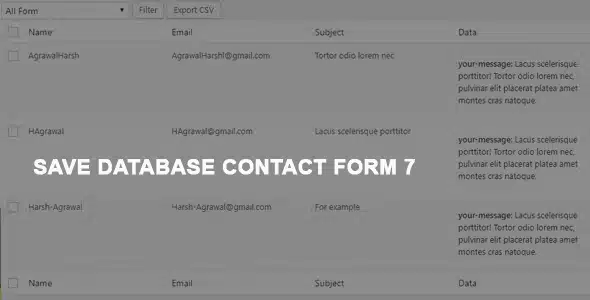
This plugin is an advanced extension for Contact Form 7 that transforms form management in WordPress by automatically saving all submitted responses in the site's database. Designed for administrators, agencies, and developers who need full control over the data collected through their forms, it eliminates the exclusive reliance on email and centralizes all information in an organized and accessible admin panel.
With this tool, every form submission is automatically recorded, including data such as name, email, phone, message, submission date and time, IP address, and any other custom fields that have been configured. From the WordPress dashboard, the administrator can view, filter, sort, and manage all entries efficiently, with options to edit details, bulk delete records, and rearrange columns via drag and drop.
One of the most notable features is data export in multiple formats. The plugin allows generating CSV and Excel files with a single click, facilitating data analysis in spreadsheets. Additionally, it offers the possibility to export data directly to Google Sheets through integration with Google's v4 API, allowing each form to be connected to a specific spreadsheet for analysis, reports, and additional automations.
PDF generation is another key feature. The administrator can create custom PDF documents from the data of each form, with options to design headers, footers, and the document body using the WordPress editor. You can choose from over 40 fonts, apply custom CSS, add watermarks with text or images, select from 266 page sizes, and configure portrait or landscape orientation. Generated PDFs can be downloaded, sent by email to the user or administrator, or both options simultaneously.
The plugin also includes security and customization features, such as password protection for PDFs, batch PDF generation for multiple entries, redirecting the user to a specific page after successful submission, and automatic resizing of attached images. It is compatible with contact, quote, registration, request forms, and any other type of form created with Contact Form 7, and complies with GDPR by integrating with WordPress's personal data export and deletion tools.
In summary, this solution turns Contact Form 7 into a complete data management system, ideal for those who need to store, organize, and export form information professionally and efficiently.
Similar items

 Premium
 Premium
 Premium